Logos and Subtitles Shouldn’t Rely Only on Generative Models: Five Controllable Video Production Routes
The Problem Most Video Models Can't Solve
On October 1, 2026, VTR-Bench, a new benchmark, appeared on arXiv. It specifically tests how accurately video generation models render text. The benchmark evaluated 11 of the most advanced models using 300 prompts across five scenarios: advertising, science, user interfaces, culture, and daily life. The key metric was Word Error Rate (WER), which compares on-screen text to the requested text; higher values mean more errors. The results were not encouraging. The top-performing model, Wan 3.0, had an average WER of 0.250. WER is an edit-distance metric that includes substitutions, insertions, and deletions; it should not be read as exactly a quarter of words being wrong. Only two of the 11 models scored below 0.5 (the other being Minimax H3 at 0.447). Nine models exceeded 0.6, with five of them above 0.96—indicating nearly every word was wrong. Kling v3.0 scored 0.979, and several open-source models approached 1.0. Seedance 2.5 was 0.641. The paper also noted that evaluators deemed 23.31% of target text as unreadable. Two points require clarification. First, this benchmark tested text requested in prompts, not models given a reference image of a logo to replicate. Performance might be better in the latter case, but no public data of comparable scale exists. Second, it measured end-to-end generation, which doesn't mean every video will contain errors. Another study from May 2026 took a different approach, testing design animations containing multiple text components. These figures come from Hard AR/LLM evaluation on a specific design-layout benchmark, not a general text-block accuracy rate: in full layouts, Veo 3.1 scored about 42%, Sora-2 about 67%, and the reference design about 94%. The authors concluded that current generative models often fail to preserve required text accurately in multi-component layouts. Vendor documentation also warrants attention. Google's Veo 3.1 API documentation refers to reference images as 'style and content references,' allowing up to three, and states the model will preserve the main subject's appearance. However, it makes no promise of pixel-perfect fidelity for text or logos. The defensible conclusion is that the documentation makes no guarantee; it does not prove that preserving text is theoretically impossible. In marketing videos, some elements cannot be 'close enough': logos, product interfaces, prices, brand colors, and subtitles. So, the question is no longer 'how to make the model draw more accurately,' but rather, 'where do the pixels come from?'
A New Question: Where Do the Pixels Come From?
Every pixel in a video originates from one of a few sources:
| Pixel Source | Method | Who Guarantees Logo and UI Fidelity | Typical Flaws |
|---|---|---|---|
| Generation | Model redraws based on prompts and reference images | No one; relies on probability | Text garbling, logo drift |
| Rendering | Program reads source files (SVG, fonts, screenshots) and calculates each frame by rules | The source files themselves | Lacks real-world texture; excels at graphics and typography |
| Capture | Real software runs, screen is recorded | The software itself | Recording quality, environment, and script stability |
| Compositing | Layers the above sources | Each layer is responsible for its own content | Alignment and lighting at seams |
The five routes discussed below are different combinations of these sources: browser-based frame rendering, non-browser programmatic engines, real capture with post-processing, template-based slot filling, and a hybrid of generation and compositing. They share a common principle: a large language model (LLM) acts as the 'director' (writing storyboards, selecting components, filling parameters), while 'must-not-fail' pixels are handled by deterministic programs.
Route One: Render Video Like a Web Page
At its core, film is a sequence of still images. Browser-based video rendering follows the same logic: each frame is a pure function of the 'current time.' A program jumps to frame n, captures the screen, and then uses FFmpeg to stitch the frames into a video.
Principles
To ensure repeatability, several rules apply. Taking HeyGen's open-source HyperFrames documentation as an example:
- Time is based on frame number, not clock time:
time = floor(frame) / fps, using integer arithmetic. - Animations 'seek' rather than 'play': "All GSAP timelines are paused and seeked, never played."
- Frame capture is a single atomic operation by the browser: Chrome's
HeadlessExperimental.beginFramecaptures pixels in one go. - All non-deterministic factors are disabled:
Date.now(),requestAnimationFrame, system timers, andMath.random()without a seed. Remotion takes a different path: it calls the browser's screenshot API for each frame, relying on the convention that 'the screen state must be solely determined by the frame number' to ensure consistency. Why are logos and text easier to keep consistent? They come from source files: SVG, PNG, and font files are rasterized by Chrome and can remain consistent under a pinned browser, font set, and rendering environment. That is not the same as pixel identity across every player after video compression. At 4K, HTML text and vector graphics are rasterized at the higher resolution, while bitmaps can only be scaled up.
Representative Solutions
- Remotion: Written in React, open-source since 2020. Free for teams of 3 or fewer; larger companies pay $25 per month per 'person writing Remotion code' or $0.01 per successful render (minimum $100/month). It offers Agent Skills for AI programming agents. Official AWS Lambda cost example: a 1-minute video costs about $0.017 to $0.021 (compute only, excluding storage, bandwidth, and licensing).
- HyperFrames: HeyGen's open-source project, repository created March 10, 2026, Apache-2.0 licensed. It centers on HTML with seekable animation libraries like GSAP, with agent-oriented skill packages. Currently in version 0.x, animation adapter interfaces are marked experimental, with frequent releases.
- Revideo, Motion Canvas: MIT licensed, more editor- and library-oriented. Motion Canvas's latest stable version was released in December 2024.
Common Pitfalls
- Video Assets: HeyGen explicitly states, "Letting a browser play video at render time does not work." Their approach is to use FFmpeg to split each video into numbered images at the target frame rate before rendering, then replace them into the page.
- Platform Limitations: HeyGen's documentation says the strongest deterministic frame-capture path works on Linux with
chrome-headless-shell. On macOS and Windows, capture primarily uses screenshots, with different determinism and parallelism characteristics from the Linux path. - Fonts and Chinese: HyperFrames documentation admits that local rendering "may differ by one pixel between machines," so it offers a Docker mode to fix Chromium version, font sets, and encoders. Repeatability depends on explicitly embedding fonts and pinning the build environment; the current documentation includes some prebundled CJK fonts and supports embedding or fetching fonts at compile time, so it is too broad to say it contains only Latin subsets. Remotion's repository has an issue reporting errors when loading CJK font subsets (#7258, closed, fix not confirmed for this article).
- Color: Remotion 4.x documentation describes the default color space as equivalent to BT.601; 5.0 should still be described as planned rather than current behavior. HyperFrames explicitly converts to BT.709 and writes tags in its frame capture filter. Brand color consistency on mobile depends on this step.
- Licensing and Stability: Remotion 5.0's draft license (PR #3750, not merged as of October 17, 2026) proposes counting freelance contractors towards team size and prohibits operating rendering services that "allow end-users to upload their own Remotion code." For platforms where LLMs generate scene code, this requires legal review.
Performance and Limitations
Graphics, text, and UI animations are this route's most stable aspects, and LLMs are proficient at writing HTML and CSS—HeyGen's original words are "LLMs are great at writing code specifically HTML." It struggles with true 3D, complex lighting, and physics-based motion. For speed, this article found no independent performance benchmarks; public figures all come from vendors.
Route Two: Programmatic Engines Without a Browser
This route bypasses the browser layer, directly generating frames using filters, graphics libraries, or 3D engines. It's a family of approaches:
- FFmpeg Filtergraphs: Current latest is 9.0.2.
drawtextandlibasshandle text and subtitles,overlaystacks images,perspectivecreates perspective transformations, and it supports frame-by-frame animation overlays and GL transitions. Version 8.1 addeddrawvg, allowing Cairo to draw vector graphics within filters. It is not a browser-grade typesetting engine, anddrawtextdoes not provide browser-style automatic layout and wrapping. Modern builds can use HarfBuzz for text shaping and support multiline text and alignment; complex layouts should still be calculated at a higher layer. - 2D Graphics Engines:
skia-canvas4.0 (MIT, released October 12, 2026) is a browser-independent Canvas implementation. Satori withresvgcan render CSS subsets into images, suitable for card-like layouts, but Satori itself states output is not guaranteed to match browsers. For animation, ThorVG is a maintained Lottie and SVG renderer;rlottieis deprecated, and Rive lacks documented headless Linux export paths. Manim is suitable for explainer and math-related videos; CJK fonts require explicit specification. - 3D Engines: Blender is the only mature, scriptable true 3D product shot solution, offering physical lighting and motion blur, with output owned by the user; its Python API
bpyis GPL-3.0. For servers without graphics cards, Cycles' CPU rendering is a viable path. EEVEE's performance in headless environments varies by source, and this article could not verify it. A typical use case is applying logo or UI screenshots as textures onto 3D device models. Godot's Movie Maker mode renders frame-by-frame non-real-time, with official claims of hardware-agnostic output, but documentation on running without a graphics card is missing. - After Effects Template Automation: Offers the highest fidelity for brand and motion design, with mature designer workflows. However, AE only runs on Windows and macOS, and unattended server licensing is ambiguous:
nexrenderclaims render nodes don't need AE licenses, while Adobe community replies suggest otherwise. This article could not find official Adobe statements. This is a legal risk requiring written confirmation from Adobe; using a hosted service is one way to mitigate. Compared to browser-based routes, this family's advantages include true 3D and physical lighting, higher throughput, simpler operations (running as regular processes, no Chromium or frame-by-frame screenshots), and deterministic offline rendering. Disadvantages are equally clear: replicating HTML and CSS interfaces is not their strong suit. Web fonts, emojis, and CJK fallbacks are not out-of-the-box, and LLM training data for these tools is far less than for HTML. This article found no comparative performance benchmarks between non-browser renderers and headless Chromium.
Route Three: Record Real Software
Web Interfaces
Playwright 1.64 (released October 7, 2026) added VP9, FPS, eased composited cursors, and operation decorations; chapter cards and HTML overlays belong to the earlier screencast API. It remains a real-time screen stream, with dimensions limited by the CSS viewport and a default output of 800x450. Puppeteer currently exposes an experimental page.record(); Chrome 153 and FFmpeg caveats should be kept distinct from the older page.screencast() documentation.
During research, a small experiment was conducted: a static page with small Chinese and English text was compared to native screenshots. For default 800x450, PSNR was 35.4 dB; for 1080p VP9, 40.4 dB; for Chrome 153 native recording, 41.6 dB. These are single-page, single-run results for reference only; the article does not publish the script, assets, codec parameters, or frame-alignment method, so they cannot support a universal cross-encoder conclusion. In this experiment, output resolution appears to matter more than the encoder, but more reproducible tests are needed. To guarantee brand colors, fine line icons, and small CJK text, lossless frame-by-frame screenshots or direct DOM capture are more reliable sources.
Mobile, Terminal, and DOM
- Mobile: iOS simulator's
xcrun simctl io recordVideoand Android'sadb screenrecord(3-minute segment limit) both directly capture the real frame buffer. Maestro is an actively maintained scripting tool for workflows. Device frames can be swapped in during rendering using Rotato's command line. - Terminal: Charm's VHS can deterministically record terminals via script; the official release page checked for this article listed 0.12.0, so the deployed version should be pinned explicitly.
- DOM Playback:
rrvideo, which convertsrrwebreplays to video, is essentially Playwright screen recording of the replay page, subject to the same quality limitations. Browserbase deprecated itsrrwebreplay API in favor of screen stream video because DOM playback was "subtly wrong." Among interactive demo tools, Navattic and Storylane offer DOM-level capture, while Arcade primarily uses screenshots and screen recording; their exported videos are often slide-show-like step-by-step demos (with step limits), not continuous footage of real interfaces. - Screenshot-to-Code: No public pixel-level fidelity metrics exist, making this unsuitable for scenarios requiring pixel-perfect interfaces.
Letting AI Agents Operate Software
Playwright MCP (v0.0.83) already exposes tools for video recording, chapter cards, and operation overlays, and Stagehand caches successful operations for deterministic replay without an LLM. However, even vendors admit that fully autonomous exploration is unreliable. A more reasonable division of labor is for an agent to write or fix a script once, then have the script deterministically replay to produce assets.
Performance and Limitations
Source-interface fidelity is highest, but final delivery quality still depends on capture and encoding. The route requires runnable software and stable demo data: fixed viewport, seeded data, simulated time, and network. Vertical videos require re-framing, and sensitive information needs blurring.
Route Four: Templates with Data Slot Filling
- Creatomate: Videos are described in JSON; modifications use element names as keys. Its 'dynamic' tag is merely an organizational and UI convention; documentation explicitly states that any property can be modified via the API, whether tagged or not.
- Shotstack: Uses double curly brace placeholders for merging; templates have unique IDs.
- Canva: The autofill API first returns declared fillable fields from the template; image fields only accept asset IDs already in the media library, as "External image URLs are currently not supported."
- Plainly: Based on After Effects, it maps AE layers to API parameters; it doesn't automatically change aspect ratios, requiring separate root compositions and templates for each aspect ratio. An easily overlooked fact here: in the documentation reviewed for this article, Creatomate, Bannerbear, and Placid do not provide a 'lock' flag; the API can change any property. Brand safety thus depends on how many fields the developer exposes, not on what the vendor locks for you. A more robust approach is to give the LLM a small, typed field table, with a deterministic adapter layer mapping to allowed modification keys. Billing models vary widely: Creatomate converts width, height, frame rate, and duration into credits. Officially, 1 credit equals approximately 100 million pixels; by this estimate, a 30-second, 1080p, 30-fps video costs about 18.7 credits. Shotstack charges by the minute, ranging from $0.20 per minute (pay-as-you-go) to $0.05 (highest plan) on its official pricing page. In the public documentation reviewed for this article, none of the hosted vendors explained how CJK fonts are controlled, how color is specified, or how renderer versions are fixed, meaning repeatability needs to be self-verified. This route is suitable for batch personalization and consistent series content with fixed layouts; it's not suitable for creative work requiring extensive layout variations.
Route Five: Hybrid, Let AI Handle Only 'Permitted Variations'
Divide the screen into layers: elements that can vary, such as background, characters, environment, and camera movement, are handled by generative models. Elements that must be accurate, such as logos, interfaces, subtitles, and prices, are overlaid deterministically in post-production.
Fix Keyframes First, Then Generate
The authors of VTR-Bench created a 'keyframe-guided agent framework.' Using Minimax H3 as an example, the WER dropped from 0.4468 to 0.3015, a relative reduction of 32.5%. This shows that fixing initial frames before generation is helpful, but it's far from zero. Multiple practical guides offer consistent advice: precise subtitles, product claims, prices, and calls to action should be added during editing, not expected to be generated correctly by the model on the first try.
Screen Replacement
The most typical scenario is an AI-generated 'hand holding phone' shot where the screen must display a real software interface. The method involves tracking the four corner points of the screen and applying a perspective transformation (homography) to paste a real screenshot: OpenCV's findHomography and warpPerspective, or FFmpeg's perspective filter, or Blender's Plane Track Deform. Segmentation and tracking can use SAM 3; when a hand obstructs the screen, a matting model like MatAnyone 2 is needed to generate an alpha mask.
While tools exist for each step, this article found no public solution that automatically chains them together and provides reliable performance data. AI-generated phone bezels may not be rigid bodies, and the four corner points may not be stable; this step is currently still an engineering task.
Other Approaches
- Pre-rendering precise content as layers with alpha channels and compositing them onto the generated base plate using FFmpeg's
overlayis a common practice. - Slow camera movements and 2.5D parallax on flat assets can avoid altering the text itself, as the assets are just images. DepthFlow 1.0.1 (August 25, 2026) is an active open-source solution, but its AGPL-3.0 license requires legal assessment if offered as a network service.
- If logos and interfaces are inserted deterministically, acceptance testing simplifies to geometric and photometric checks: is the quadrilateral valid and stable, is the overlay obscured, and does the text recognized in the final exported video match the target copy? There is no public data on logo acceptance rates or per-video cost, so run a pilot on a batch of real generations before launch to estimate them.
Let the LLM Direct, Not Paint
Regardless of the chosen route, the LLM's role is to write storyboards, select components, and fill parameters. Public evidence points to the same direction: plan first, then write code, then inspect after rendering.
- Plan First: Code2Video (arXiv 2510.01174) breaks down educational videos into three roles: planning, coding, and reviewing. Using GPT-4.1 as the base, directly letting the model write code resulted in an aesthetic score of 34.2 and a knowledge quiz score of 37.0. The full process yielded 79.0 and 82.0. Removing the planner caused both scores to drop by 40.9 and 41.5 respectively, the largest decrease among all components. The trade-off was approximately 7 times longer processing time and 26 times more tokens. These scores were partly given by LLMs, and the domain was educational animation, so they cannot be directly extrapolated to marketing videos.
- Runnable Doesn't Mean Correct: OmniManim (arXiv 2605.15585) notes that defects like overlaps, misalignments, and inconsistent animations "cannot be reliably detected by code alone, only appearing after execution." Therefore, structured diagnostics of rendering results are needed, followed by local repairs.
- Measure with Code, Not Model's Eye: Remotion's official system prompt for LLMs explicitly disables
Math.random(), requiring seeded random functions. Component properties can usezodfor type validation. Text is measured by code using tools likemeasureTextandfitText. HyperFrames provides acheckcommand that covers syntax, runtime errors, layout, animation intent, and WCAG contrast in one go, outputting annotated screenshots. - Reference Brand Assets, Don't Let the Model Redraw: Remotion's official AI templates, when a user attaches an image, prompt the assistant to "try to replicate it with code." This is precisely a source of logo distortion. A more reliable approach is to treat the logo as a file, referenced by ID or path. It's important to state frankly: this article found no public research directly comparing 'typed JSON with a fixed component library' versus 'letting the model write code' for brand fidelity. The above practices are a synthesis of multiple pieces of evidence, not a fully validated architecture. Audio-visual synchronization is also worth mentioning: using audio as the clock, synthesizing speech first to get timestamps, and then calculating shot durations based on those is more reliable than letting the model estimate durations. ElevenLabs' API returns character-by-character start and end times with the audio. Remotion's subtitle API splits words by spaces; Chinese requires custom word segmentation.
Engineering Details: How 'Predictable' Is Achieved
- The goal is identical output on the same image, not byte-for-byte consistency across machines. Playwright documentation states that screenshots vary by browser and platform, and baselines should be generated in the same environment. HyperFrames also admits that local rendering might differ by one pixel.
- Fixed browser version. Each Remotion version fixes a Chrome Headless Shell (Chrome 157 from 4.0.534 onwards) and warns that using a full Chrome might be "less deterministic."
- Fixed software rendering. HyperFrames' distributed rendering rejects hardware GL, citing its non-determinism at chunk boundaries, and fixes to SwiftShader.
- Frame capture format affects text edges. Lossy JPEG frames introduce compression noise around logo edges and small text. Remotion's documentation suggests using PNG frames for accurate colors, at the cost of slower processing.
- Choose repeatable encoders. Older sources (2007, 2015 mailing lists) indicate that x264 is only repeatable when thread count is fixed and VBV is disabled. Hardware encoders (VideoToolbox, NVENC) have no public statements on bit-for-bit consistency. HyperFrames rejects GPU encoding for segmented output, stating that GPU encoders ignore forced keyframes.
- Explicit Chinese glyphs. The same Chinese character code point can have different glyphs in different language fonts. Community resources (like Arch Linux documentation) note that without a language tag, Noto CJK might fall back to Japanese glyphs in some environments. Explicit font files should be embedded and language set, followed by a golden test: render a few Chinese characters with distinct Chinese and Japanese forms and compare them to archived images.
- Prioritize deterministic checks for acceptance. When layout is programmatically controlled, a logo's position is known: crop that region and compare it to the source file at the same scale, which is more reliable than template matching (the latter requires individual threshold calibration for each logo). For the final exported video, perform OCR and compare it to the target text (for Chinese, PaddleOCR can be used, requiring evaluation on your own footage). FFmpeg includes built-in black frame, still frame, and silent audio detection. Visual LLM review is the last step, for reference only, not for automatic rejection.
Choosing Among the Five Routes
| Route | Pixel Source | Logo & UI Fidelity | Repeatability | Strengths | Main Risks & Costs |
|---|---|---|---|---|---|
| One: Browser-Based Frame Rendering | Rendering | High, source files rasterized as-is | High, reproducible in the same environment | Graphics, text, UI animations; LLM-friendly HTML | Font, color, and video asset details; Remotion licensing; not suitable for true 3D |
| Two: Non-Browser Engines | Rendering | High, depends on assets | High, offline rendering | 3D product shots, high throughput, filter compositing | No typesetting engine; AE licensing unclear; limited LLM training data |
| Three: Real Capture + Post-Processing | Capture | High, source is the real interface; final quality still depends on capture and encoding | Depends on script and demo data | Software and app demos | Recording resolution and compression; requires runnable environment; fully autonomous exploration unreliable |
| Four: Templates + Data Slot Filling | Rendering (hosted) | High, from logo layers in template | Depends on vendor fixing renderer | Batch personalization, series content | Rigid layouts; opaque font, color, and version control |
| Five: Hybrid Generation + Compositing | Generation + Rendering/Capture | Depends on compositing step | Medium, base plate differs each time | Real people and scenes | Alignment and lighting; lack of reliability data; cost |
Rough recommendations by scenario
- Software or app feature demos: Primarily Route Three, with Route One for intros, outros, subtitles, and zoom annotations.
- Brand intros, data cards, subtitle animations, multilingual versions: Route One.
- 3D product showcases, unboxing shots: Route Two, primarily Blender.
- Hundreds or thousands of personalized videos: Route Four, or build custom templates using Route One.
- Requires real people and scenes, with a real software interface on screen: Route Five.
The overall principle can be condensed into one sentence: let models handle permitted variation, and let programs handle what must pass verification. Generative models are rapidly advancing in 2026, and the gap in text rendering is narrowing, but as long as logos and interfaces must be pixel-perfect, placing them in the deterministic layer remains the most predictable approach.
Notes and References
Data current as of October 17, 2026. Papers cited are mostly preprints, and some scores were generated by large language models. Prices and license terms are based on official vendor pages. Primary sources cited:
- VTR-Bench
- Evaluating Design Video Generation
- Code2Video
- OmniManim (See Before You Code)
- HeyGen's technical article on HTML video rendering
- HyperFrames repository and documentation
- Remotion license explanation
- Remotion Lambda cost example
- Remotion's explanation of Chrome Headless Shell
- Creatomate credit calculation
- Creatomate template modifications
- Shotstack pricing
- Canva autofill guide
- Playwright screenshot baselines
- Gemini API Veo documentation All accompanying images are openly licensed photographs:
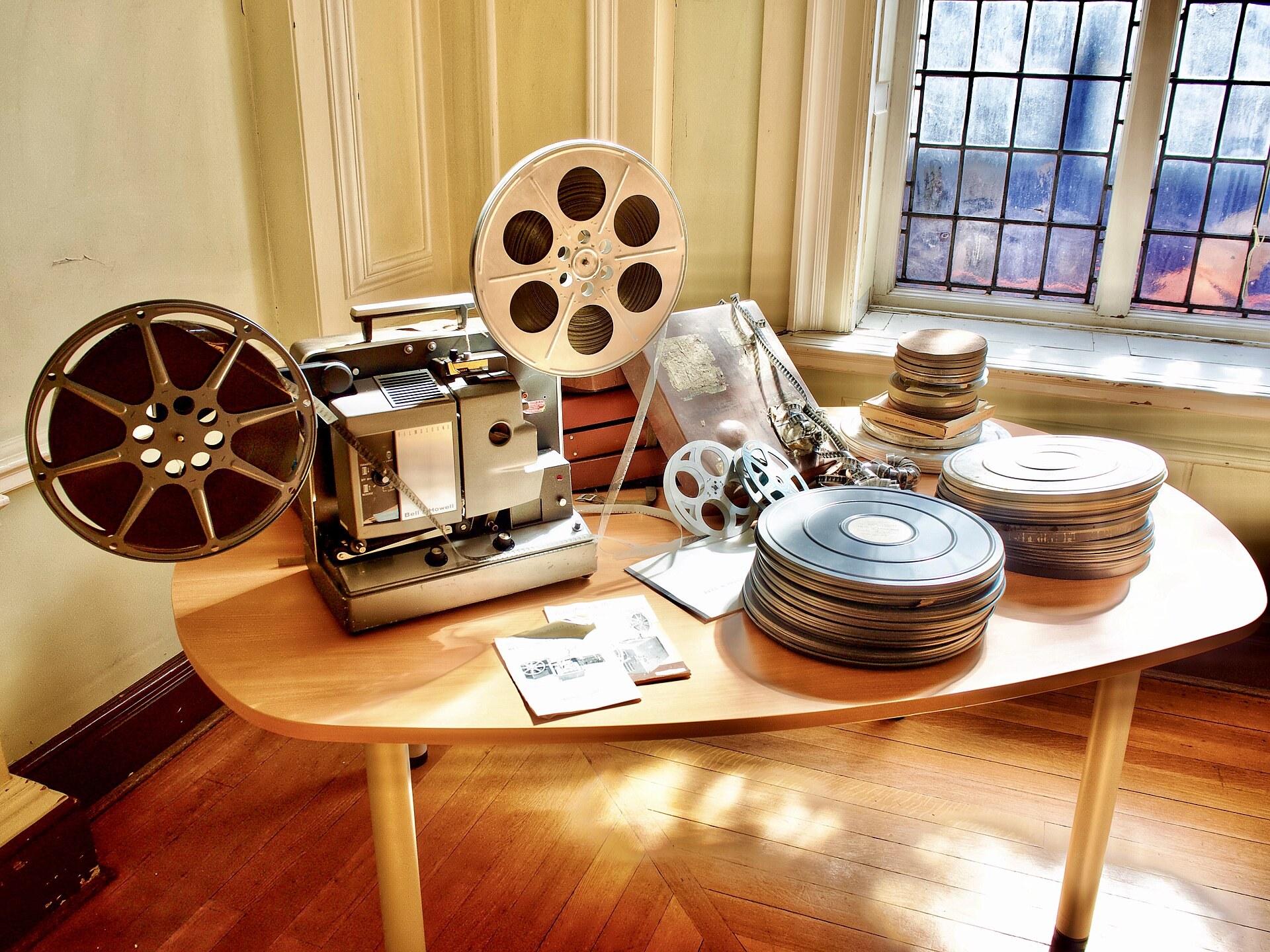
- Cover: Bell & Howell movie projector with film reels, photo by Malcolmxl5, Wikimedia Commons, CC0. Source
- Camera and tripod: Photo by Kristin Hardwick, StockSnap, CC0. Source
- Letterpress machine: Queensland State Archives, Wikimedia Commons, CC0. Source